How to Apply for Engineers Exam in Qatar
This guide explains how to apply for engineers exam registration in Qatar, from checking your university status to submitting your application on the MME portal, with links to every detailed guide for UPDA / MMUP engineer registration.
Know your exact next step in under 10 seconds
Not sure where you stand? The AI-powered UPDA Navigator tells you the exact next step for your situation.
How to Apply for Engineers Exam: 5 Steps in Qatar
Follow these steps in order to see how to apply for engineers exam registration without delays. Each step links to a detailed guide on this website.
Check your university status
Verify whether your university is listed on the MME portal. This decides your route: listed universities follow the direct online process, while unlisted or suspended universities first complete the university equivalency process through the Ministry of Education.
Use the UPDA approved universities list as a reference.
Prepare and attest your documents
Gather your degree certificate, consolidated mark sheet, Police Clearance Certificate (PCC), passport, Qatar ID copy, passport-size photo, CV, current company details and experience certificates. Documents must be attested by the competent authorities in your home country and by the Ministry of Foreign Affairs (MOFA) Qatar.
For the PCC, see the Qatar PCC procedure.
Open a Hukoomi account
You need a Hukoomi account to log in to the MME portal. Register with your Qatar ID and mobile number if you do not already have one.
Submit your application on the MME portal
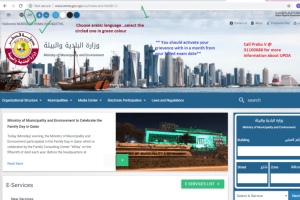
Log in at www.mme.gov.qa with your Hukoomi user ID and password, select Engineers & Engineering Committee, then click New Engineer Registration. Upload your documents stage by stage: personal data, education, work experience and any additional documents.
After final confirmation the system generates three pages with your submitted data and a registration number. Print them, affix your photo and sign. Full walkthrough: UPDA exam registration procedure.
Prepare for the exam
Once your application is in progress, start preparing with a customised syllabus, exam-focused study material and mock tests for your discipline.
Review the UPDA exam pattern and grades and practise with the UPDA mock tests.
How to Apply for Engineers Exam: Document Checklist
Before you learn how to apply for engineers exam registration online, keep every file clear and complete for the upload.
Attested from home country authorities and MOFA Qatar.
Overall mark sheet covering all semesters.
Qatar PCC is required. Obtain it early to avoid delays.
A clear copy of your passport.
A copy of your valid Qatar ID.
A recent passport-size photograph.
PDF, all pages in a single file.
From your current and previous employers, as required.
Name each file clearly, for example "Engineering Degree" or "Experience 1", and do not start filenames with serial numbers. This process might be changed by MMUP/MME at any time, including the website and its appearance.
Everything you need, step by step
Open the guide that matches where you are in the application.
Registration procedure
The complete registration walkthrough, document checklist and the 10-step equivalency process.
Approved universities
Check whether your university appears on the approved list before you start.
Qatar PCC
Requirements and the steps to apply for your Police Clearance Certificate.
Exam pattern and grades
Understand the MMUP exam structure and the grading before you prepare.
After the exam
Re-test options and keeping your registration current.
Prepare for the UPDA exam with Green International
Green International, Qatar provides UPDA exam preparation and project management training, with coaching built around the latest exam pattern.
Exam-focused study material for Civil, Mechanical, Electrical, Electronics, Architecture and Chemical engineers.
Highly interactive live UPDA / MMUP exam training with industry-experienced trainers.
Mock tests based on real MMUP exam questions, with hands-on workout sessions and exercises.
Guidance on your documentation submission until you obtain MME registration.
How to Apply for Engineers Exam: FAQ
Quick answers to the questions engineers ask most often.
Who needs to register as an engineer in Qatar?
Registration under Law No. (19) of 2005 is mandatory for engineers practising in Qatar. The register covers engineers and local engineering consultancy offices.
Where do I apply for the engineers exam?
Apply on the official MME portal at www.mme.gov.qa. You log in with your Hukoomi user ID and password, select Engineers & Engineering Committee, and choose New Engineer Registration.
What if my university is not listed on the MME portal?
You first complete a university equivalency process through the Ministry of Education before submitting your application. The registration procedure guide explains all 10 steps.
What if I do not pass the exam?
The re-test for the 2nd and 4th chances is called a grievance, and you apply within 30 days of the failed exam date. Read the second attempt grievance guide for the full steps.
Need help with your application?
Our expert consultants guide you on how to apply for engineers exam registration, from document preparation to MME registration. Speak to us for a free consultation.
Full process: UPDA Exam Registration Procedure